Websites for nonprofits, associations and schools
A nonprofit, an association or a school runs on people who give their time: volunteers, members, staff with other jobs to do. We build WordPress and TYPO3 websites they can keep up to date on their own, in English and French, and accessible to everyone they serve.
- Pages volunteers and staff update without a developer
- Members-only areas and documents by role
- Built and tested to WCAG 2.2 AA
- English and French planned together
Six things that shape a nonprofit or association website
The tools are the ones we use for every client. These six decide how the project is planned, from the first written questions to the years of support.
Volunteers who edit
The people updating the site change from year to year and are rarely technical. Pages have to be easy to change and hard to break.
Several audiences at once
Members, volunteers, donors, students and the public each come for something different, and each should find their part quickly.
Content only members see
Boards, members and shareholders often need documents and directories that the public should not see.
A site that has to last
The site is paid for once and kept for years. It has to run without constant fixes or a pile of paid add-ons.
Open to everyone
Funders, public partners and the law expect an accessible site, and it has to stay accessible as volunteers add pages.
Many people publishing
In a school or a large association, departments and chapters publish on their own, with someone approving before pages go live.
What a member or volunteer website needs
Each piece is built so the people who run the organization keep the site current on their own.
How a project runs, phase by phase- Pages volunteers can edit. Blocks for each kind of content, so a volunteer team updates the site without help. Custom blocks
- Members-only areas. Logins with roles, so each person sees what their role allows, and nobody but administrators sees the WordPress dashboard.
- Documents by role. Minutes, bylaws and reports filtered by category and year, with downloads that check who is asking.
- Directories members keep current. A member directory where people update their own details.
- Calendars and events. A calendar synced with Google Calendar, with event details and export to a personal calendar.
- Registration and contact. Forms for members, volunteers or participants that reach the right inbox.
- Online courses. Lessons released on a schedule, with each person’s progress tracked. Custom development
- Accessibility. WCAG 2.2 AA, checked with keyboard and screen readers during the build. Accessible development
- English and French. Both languages planned together, with a language switch that lands on the same page. Bilingual platforms
WordPress or TYPO3, depending on who publishes
A volunteer group and a college where forty departments publish need different tools. We have built on both since 2007 and recommend one in writing, with the reasons.
-
For a small team or a volunteer group
Quick to learn, with ready-made blocks for every page type. Suited to nonprofits and associations where a few people keep the site current.
Custom WordPress development -
For a school or network where many people publish
Built for dozens or hundreds of editors, with permissions and approval steps that keep each department or chapter in its own section. Common in universities and large associations.
TYPO3 development
Planning a new site for your organization?
Tell us who the site serves, who will update it and what it has to do. We reply in writing with how we would approach it and what it depends on, before any quote.
Tell us about your projectRun by the people they serve
A volunteer mentoring program that updates its own site, and a private members club with documents and directories for each role.
-
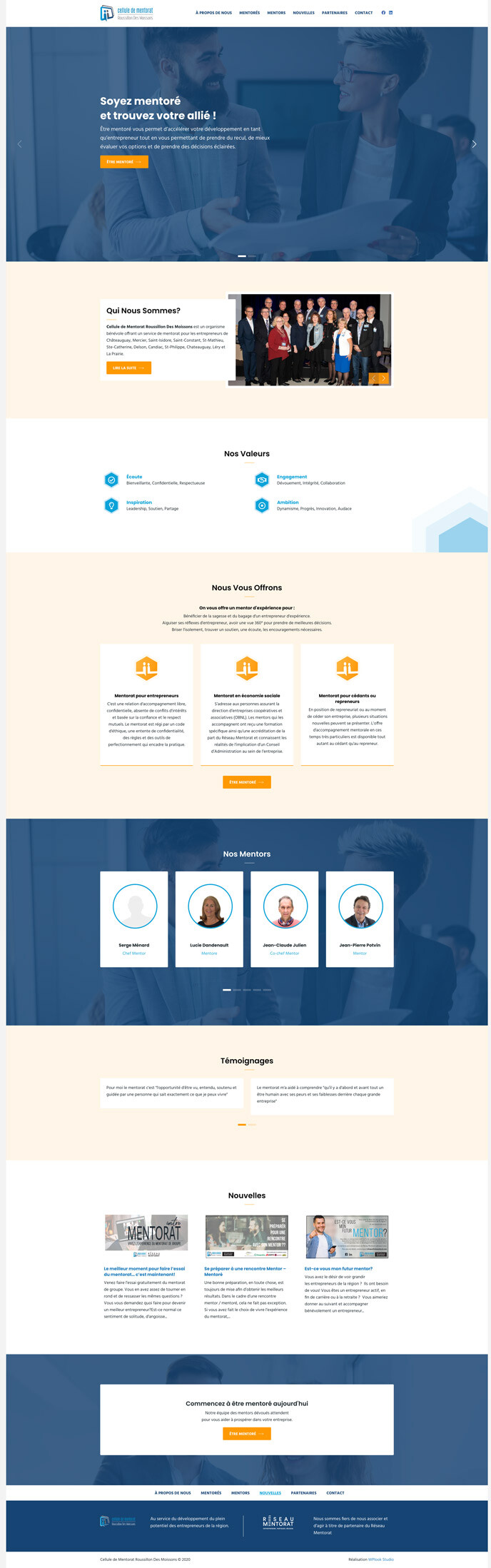
A site a volunteer team updates on its own
A mentoring program presented to entrepreneurs and mentors in 12 municipalities of the Roussillon region.
-
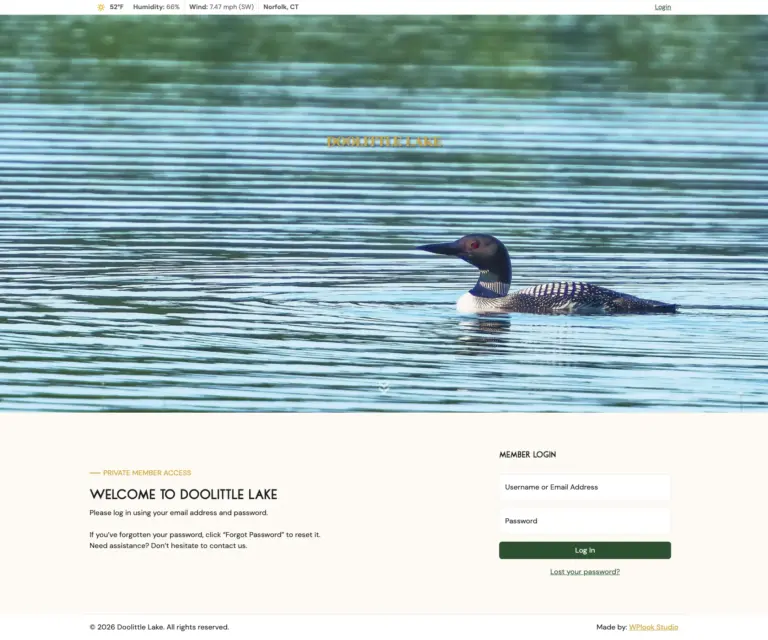
Private members portal for a lake club
Separate access for members and shareholders, secure document downloads, and navigation that follows each member’s role.
Six WordPress themes for nonprofits
Since 2013 we have also published WordPress themes made for charities, churches and environmental groups. Organizations around the world build their sites on them.
See our nonprofit themes (opens in a new tab)Since 2013 Themes 5 premium, 1 free First Charitas, built for online donations Made for Charities, churches, environmental groups Built for The WordPress block editor
Guides for your next website
-
Technology
What Canadian Public-Sector Accessibility Requirements Actually Ask For
Canada has a federal standard, an Ontario statute and a Quebec standard, and procurement cites all three imprecisely. Here is what each one asks for, and what evaluators expect to see.
-
Strategy
How to Write a Website Redesign RFP
An RFP is a filter. Publish the budget, give the content and document volumes, separate mandatory from rated criteria, state the contract terms, and never request speculative design.
-
Strategy
8 Signs You Need a Website Redesign, and 3 Signs You Don’t
A redesign is a large, disruptive instrument. Eight signals that say rebuild, three that say do something cheaper, and the five measurements that tell you which situation you are in.
Questions from nonprofits, associations and schools
Can volunteers really update the site?
Yes. Pages are built from blocks made for your content, so changing text, images or events needs no developer. The mentoring program in our case studies is kept up to date by its volunteer team.
Can we have an area only members see?
Yes. Members log in, and each role sees its own pages, documents and menu items. Documents can be split by role, so a board or shareholders see files other members do not.
Can the site take donations or payments?
Yes, through a payment provider such as Stripe, which we have connected for online payments and subscriptions. The money goes to your account, and the site keeps a record of each payment.
Do you work with schools and colleges?
Yes, though we have not published a school case study yet. Where many departments publish, we often recommend TYPO3, which is built for many editors and approval steps.
Which accessibility standard do you build to?
WCAG 2.2 AA. Keyboard and screen reader checks run during the build, and the blocks are set up so pages added later by volunteers stay accessible.
What happens after launch?
The studio that built the site keeps looking after it: updates, security patches and new development. Training and written guides are delivered before launch, so a new volunteer can pick the site up.