WordPress website redesign and modernization
Most of our work starts with a site that already exists and already matters. We redesign it so its rankings, its content and the editors who know it all make the move.
- URLs and content kept, search visibility protected through the move
- A content audit before any design work
- Accessibility to WCAG 2.2 AA built in from the start
- Phased, with each stage estimated in writing before it starts
Signs your site is due for a redesign
Not every dated site needs replacing, and sometimes a visual refresh is the whole job. These are the signs that the problem is structural, and that a redesign which only changes the surface will be undone within two years.
-
Editors have stopped using it
Content goes stale because updating it is unpleasant, and pages end up in the wrong place because the right one is hard to find. When the team works around the CMS, the CMS is the problem.
-
Every change needs a developer
A new landing page or a change to a list goes into a queue and onto an invoice. The site was built as fixed templates rather than as a system.
-
The structure no longer fits
The navigation describes the organization as it was two reorganizations ago. Visitors cannot find things, and internal search does not help them.
-
It is slow, especially on mobile
Poor Core Web Vitals and unstable layouts, usually from a theme carrying features the site never uses and plugins added to make up for it.
-
Accessibility is now required
A tender, a policy, a complaint or a law now asks for WCAG 2.2 AA, and the current components cannot reach it without being rewritten anyway.
-
Plugins hold it together
A long plugin list, some abandoned by their authors, and updates that break something every time. That is a security problem as much as a technical one.
-
Nobody dares update it
Core updates are put off because the last one broke a page. A site frozen this way is falling behind on security every month.
-
It has outgrown its build
It was built for a smaller organization or a simpler workflow, and every requirement since has been added on top. The next add-on now costs more than doing it properly.
Rebuild in place, and keep what the site has earned
The costliest mistake in a redesign is to treat it as a brand-new website. New URLs and a fresh sitemap throw away years of search history on launch day, and traffic can take months to come back. We rebuild in place, which leaves room to change the design, the content model and the editing experience substantially.
A URL inventory before any wireframe
Every existing URL with its traffic, impressions and role, exported from Search Console and analytics and reviewed before the structure is redrawn.
One redirect for each moved page
Where an address has to change, the old one points to the new one in a single step. Redirect chains, soft 404s and broken internal links are common causes of avoidable losses in a migration.
Content moved by script
Pages, media, metadata and internal links are migrated into the new content model by script. Retyping is where content quietly goes missing, including the archive nobody remembers but somebody links to.
Integrations rebuilt on purpose
Connections to your other systems are listed at the start and rebuilt deliberately, so none of them turns up missing at launch.
Editing that gets easier
The editing experience is part of the scope. A redesign that makes the site handsome and the CMS harder has failed where your team feels it every day.
A baseline to measure against
Search and analytics figures are captured before launch, so afterwards there is a clear answer to whether the redesign worked.
Sometimes a refresh is enough
If the content model and the build are sound, a new design and new templates are the right scope, and we will tell you so. If the problems sit in the content model, the plugins or the editing screens, a new look will not solve them for long.
- How content is modelled and how editors use it
- The plugin stack and what depends on it
- The theme code and whether it can be updated safely
- Connections to other systems
- Accessibility measured against WCAG 2.2 AA
We look at these first, then recommend the smaller job when it will do. Each phase is estimated in writing before it starts, so you can approve one stage without committing to all of them.
Old URLs                       Each resolves in one redirect
Internal links                 Rewritten to the new addresses
Media and metadata             Carried across with the content
Keyboard and screen reader     Tested on every template
Full crawl                     No broken links or chains
Search baseline                Captured before cutover
Sitemaps                       Resubmitted at launch
Crawl errors                   Watched in the weeks after
How a redesign project runs
-
Discovery and content audit
What the site must do, who maintains it, what it connects to, and what is broken rather than merely old. Then each page gets a decision: keep, rewrite, merge, or retire with a redirect. This stage most often changes the scope, usually downwards.
-
Structure and design
Navigation, taxonomy and the URL map, built from what visitors look for. Then templates and components designed with real content, with contrast, focus states and target sizes settled in the palette.
-
WordPress architecture
The content model, the block library, roles and permissions, the integration map, and what is custom versus a dependency, written down before the build.
-
Migration and testing
Scripted migration run on staging until it is clean. Then functional, browser, device, keyboard, screen reader and performance testing, and a full crawl.
-
Training and launch
Training and written guides for the people who will maintain the site. Then a planned cutover with redirects live from the first minute.
-
After launch
The first weeks are watched against the baseline, so anything the migration caused is fixed while the cause is obvious. Support continues with the team that built it.
Smaller projects skip stages, and we will tell you which ones. Each stage is estimated in writing before it starts.
Replacing a site that still works?
Tell us what the current site does, what it cannot do and what it must not lose. We will tell you whether it needs a redesign or a rebuild, including when the cheaper answer is the right one.
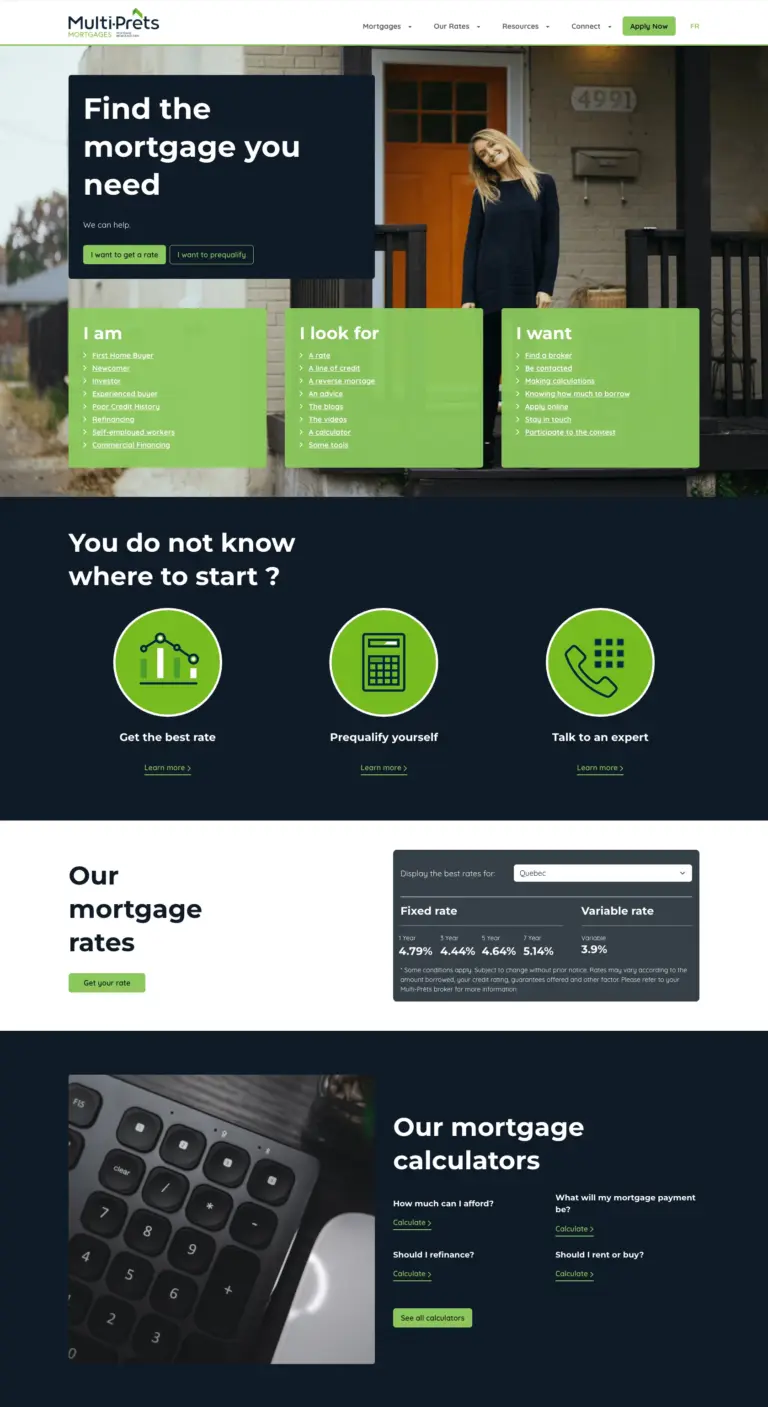
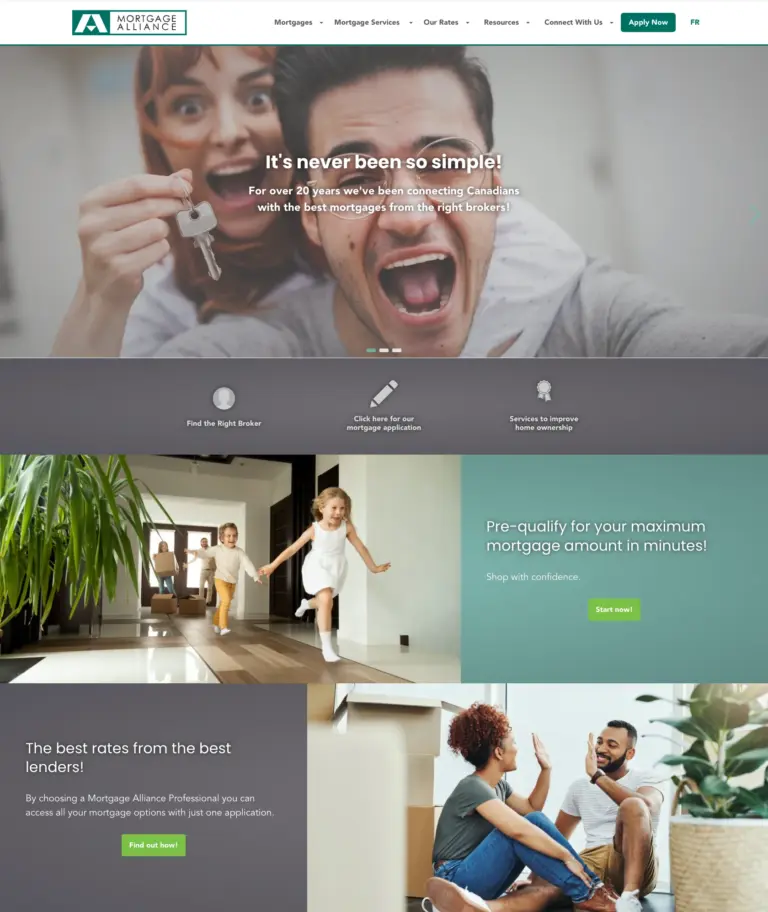
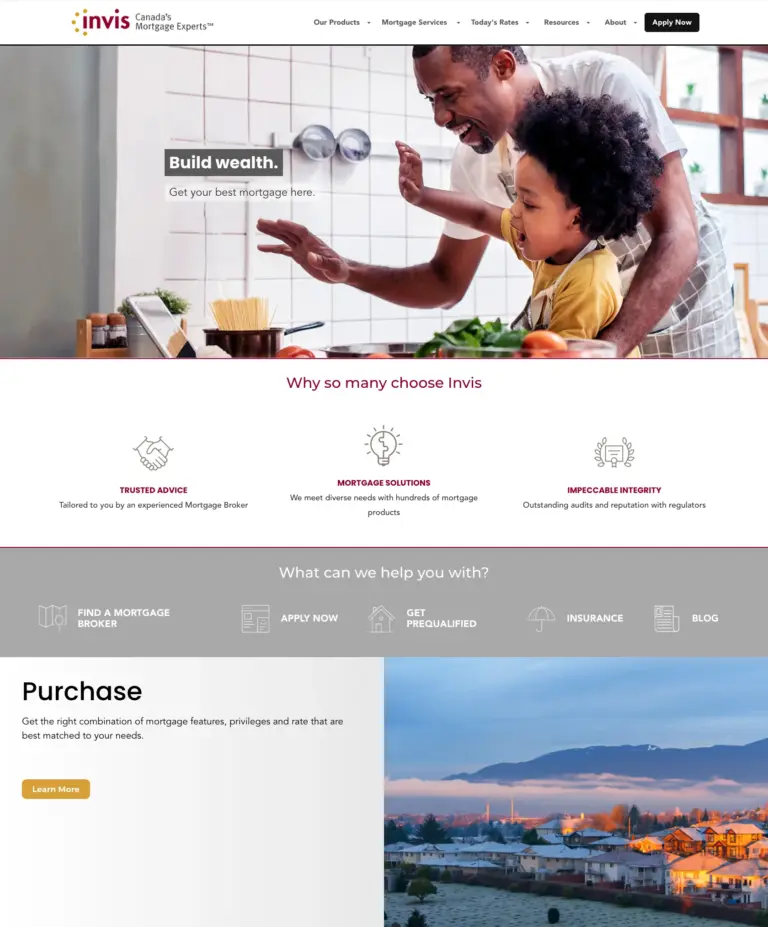
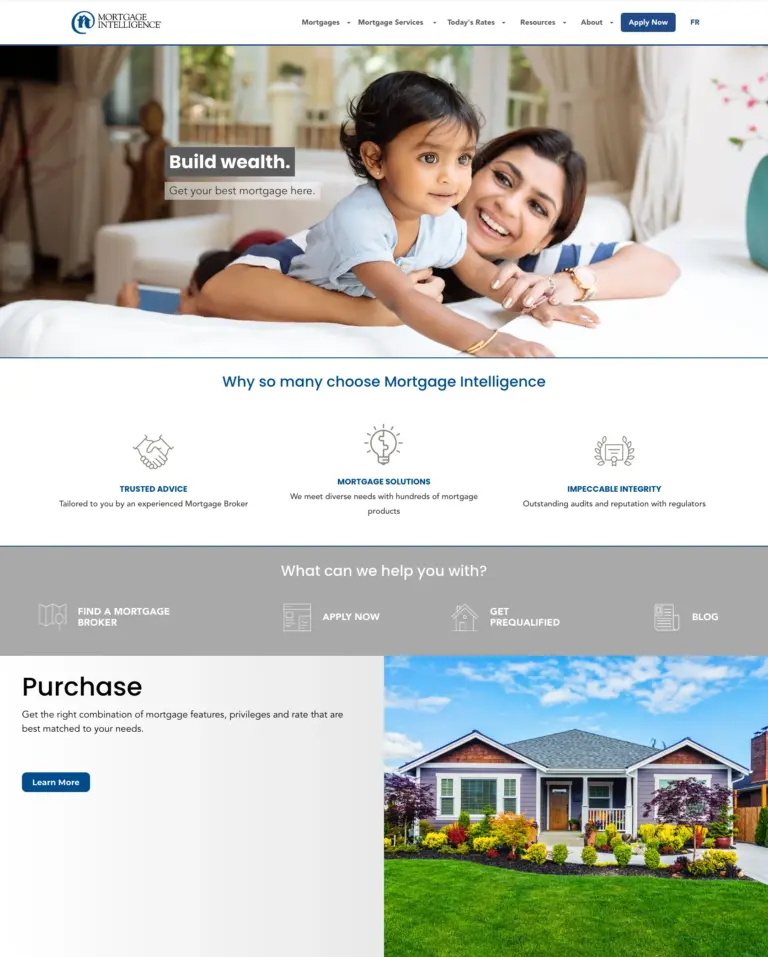
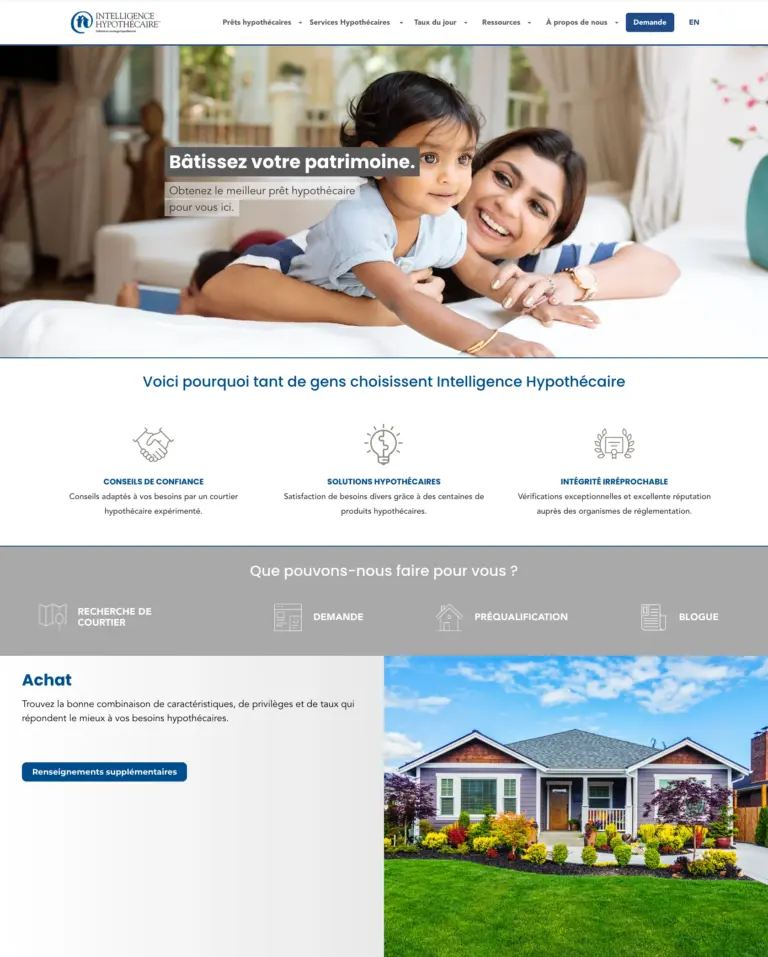
Discuss your projectFive brands modernized in place
Five related brands on one codebase, modernized in place rather than relaunched as new sites.
WordPress redesign, answered
Will a redesign hurt our search rankings?
It can, and when it does the cause is usually a decision made earlier in the project. Losses come from changing URLs without a complete redirect map, from redirect chains, from removing or thinning pages that were earning visibility, and from launching a structure nobody checked against search data. We inventory URLs and search performance before the structure is redrawn, keep what is earning, redirect in one step where a move is needed, and watch the first weeks against a baseline. Nobody can promise you a position in search results. We remove the avoidable reasons a migration loses one.
Do we have to change our URLs?
Usually not, and keeping them is the default. Where the structure really has to change, each move is mapped and worth the disruption, and every old address points to its new one in a single, permanent redirect.
Can you redesign without rebuilding the whole site?
Sometimes. If the content model and the build are sound, a design and template refresh is the right scope. If the problems are in the content model, the plugins or the editing experience, a visual refresh soon leaves you back where you started. Discovery is there to give you that answer early, including when it is the cheaper one.
How long does a WordPress redesign take?
Content and integrations decide it far more than design. The content audit and the migration are usually the longest stages, and the number of systems the site connects to sets the rest. We phase the work and estimate each phase in writing, so the timeline comes from the agreed scope.
What happens to our existing content?
Each page is inventoried and given a decision (keep, rewrite, merge or retire), then migrated by script into the new content model with its media, metadata and internal links. Nothing is retyped, and nothing is dropped without a decision.
Can you work with our existing design or brand guidelines?
Yes, often. Where a brand colour cannot meet AA contrast on buttons, links or other interface elements, we raise it early and propose accessible variants for those elements.
Other services we offer
- Custom WordPress developmentContent models, blocks and plugins
- Enterprise WordPress developmentPlatforms with data in other systems
- WooCommerce and commerceStores and custom commerce
- Gutenberg block developmentBlocks editors use on their own
- Multisite and bilingual networksSeveral sites run as one platform
- API and system integrationsConnect WordPress to your CRM and tools
- Content and data migrationMove your content without losing traffic
- AccessibilityBuilt to WCAG 2.2 AA
- TYPO3 developmentNew sites, upgrades and support for TYPO3
- AI agents and automationRepetitive work taken off your team
- Maintenance and supportUpdates, security and new features